 SLON Privacy
Install Slon Privacy on macOS
Install INCY, add your Slon Privacy subscription, and connect to a server. Setup usually takes no more than 2–3 minutes.
Make sure your Slon Privacy subscription is active and your Mac is connected to the Internet.
How to subscribe →Download INCY
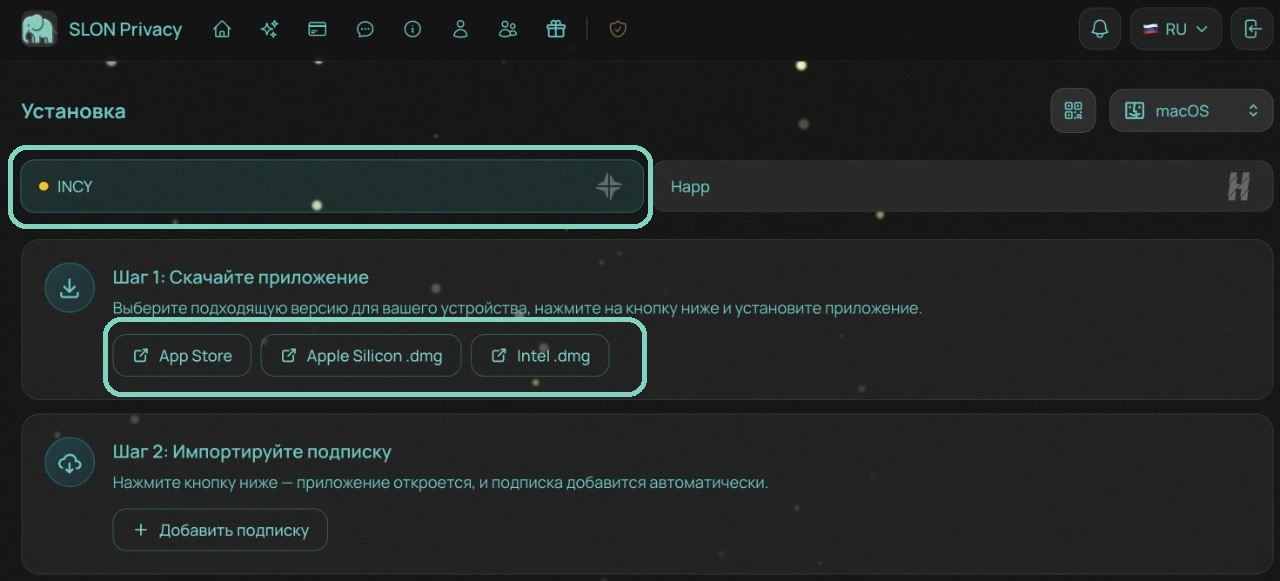
Sign in to your account through the Telegram bot or the website. Click “Home”, then click “Connect device”. Select macOS.
Choose the installation option that matches your Mac:
- App Store — recommended for most users.
- Apple Silicon (.dmg) — for Macs with Apple M1, M2, M3, or newer chips.
- Intel (.dmg) — for Macs with Intel processors.
Install the app
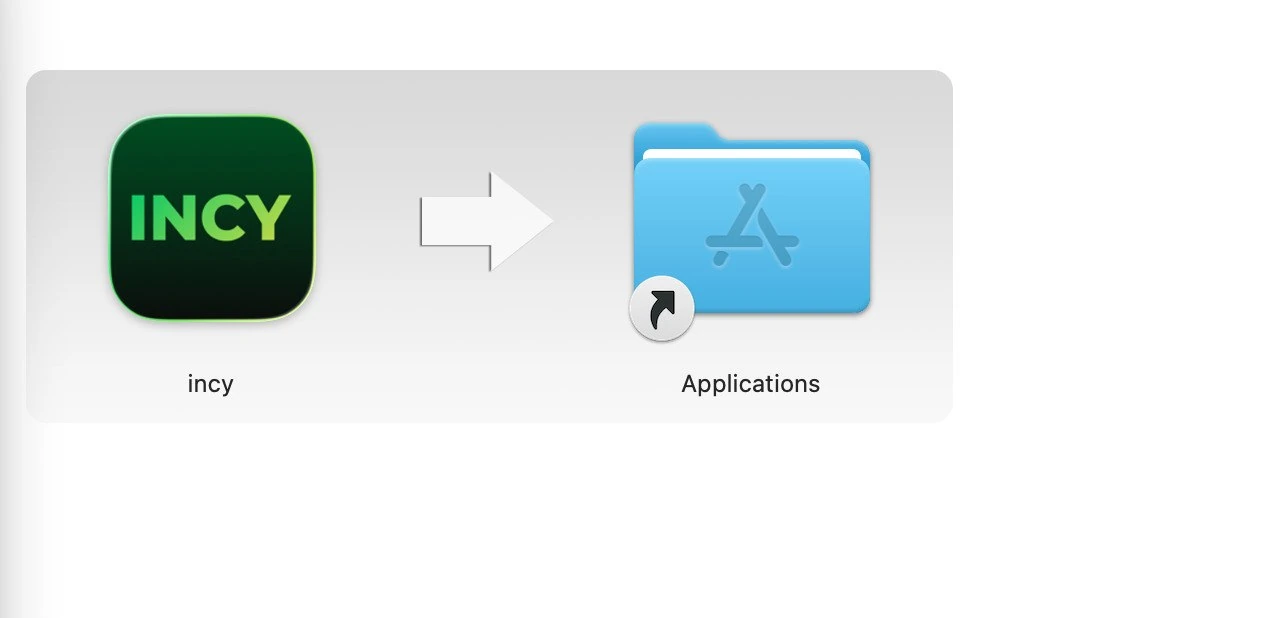
If you downloaded the .dmg version, open the file and drag INCY into the Applications folder.
Add your subscription
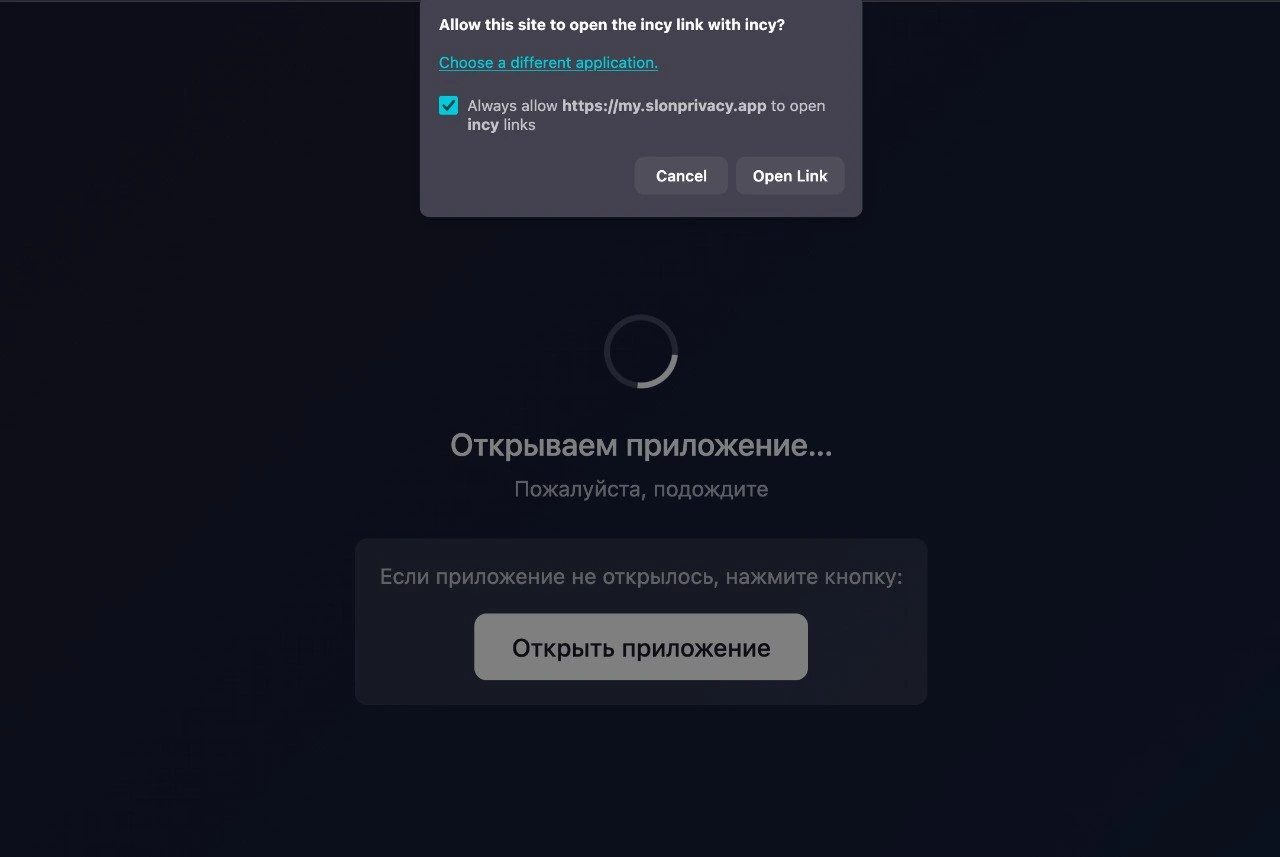
Return to your Slon Privacy account and click “Add subscription”.
When your browser asks to open INCY, click Open Link. For convenience, you can enable Always allow so similar links open in INCY automatically in the future.
Allow the VPN configuration
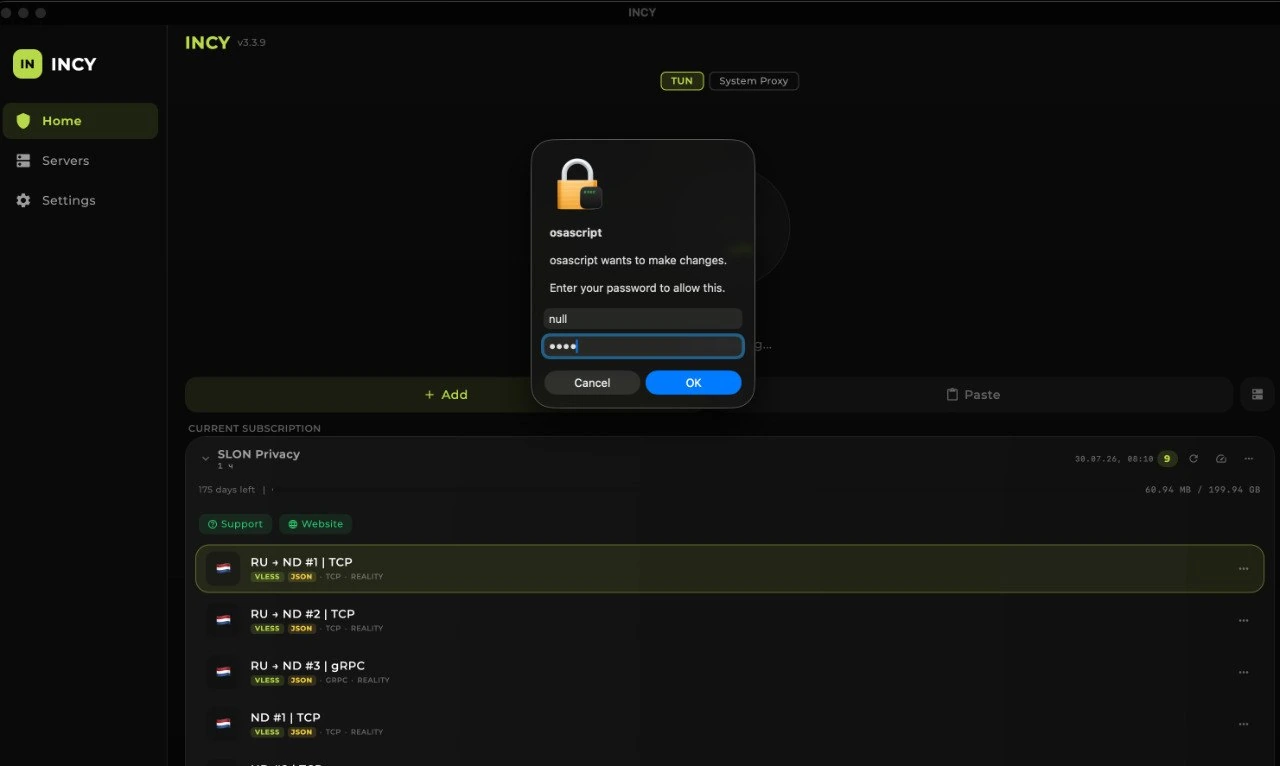
The first time you connect, macOS will ask for permission to create a VPN configuration. Enter your Mac administrator password and click OK.
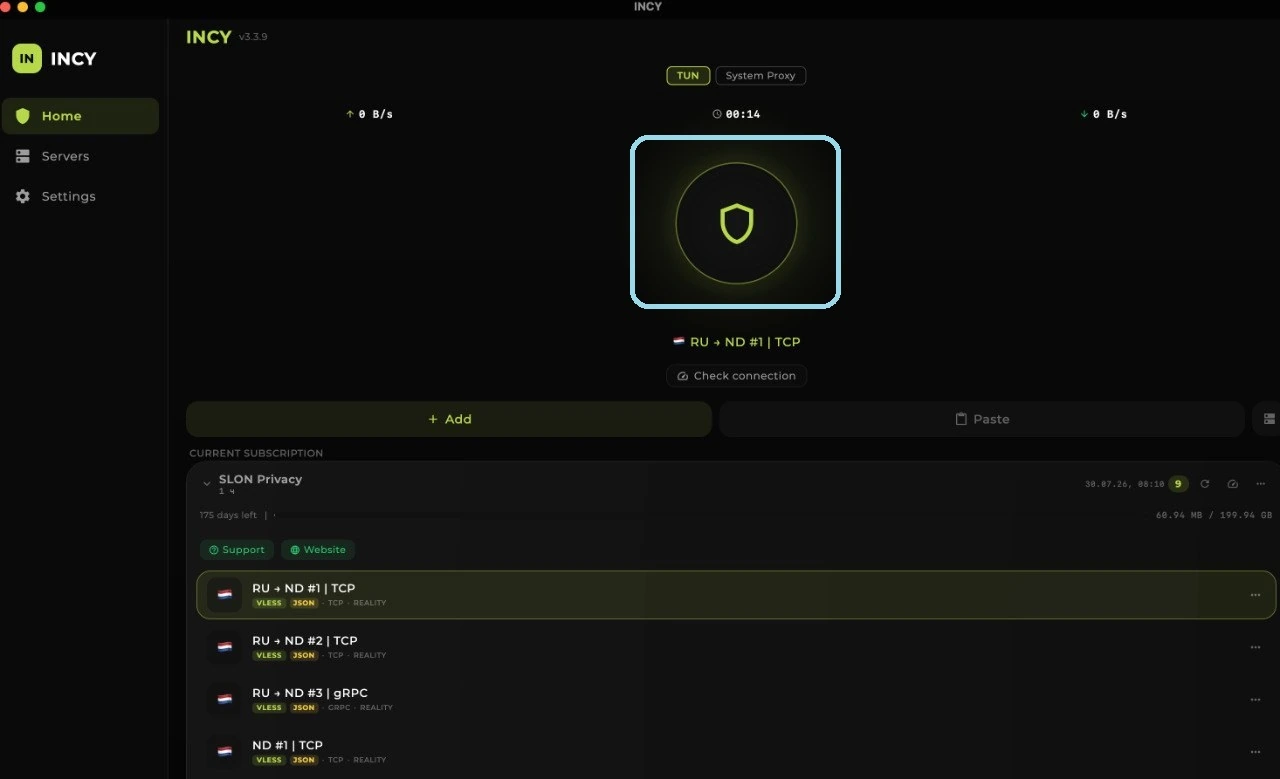
Connect
- Select any server from the INCY list.
- Click the connection button.
- Wait for the green indicator to appear around the icon.
Troubleshooting
The subscription was added, but there are no servers
Click the subscription refresh button shown in the screenshot and wait a few seconds.
If the server list still does not appear, completely close INCY, reopen the app, and refresh the subscription again.

INCY does not open after I click “Add subscription”
Make sure the app is installed. Close your browser and INCY, then reopen your account and try adding the subscription again.
When your browser shows the prompt, click Open Link.
Unable to connect to a server
Check your Internet connection without the VPN, select another server, and restart INCY.
Also make sure the app has all required system permissions and that no other VPN app is running on your Mac.
macOS asks for the administrator password again
Enter the administrator account password and confirm the prompt. INCY needs this system permission to create the VPN connection.